
NxAi Assist app & getting helpNxAi Assist ऐप और मदद
Get your team on the app, set its rules, raise a support request and search the Knowledge Base.
टीम को ऐप पर लाइए, उसके नियम सेट कीजिए, सपोर्ट रिक्वेस्ट भेजिए और नॉलेज बेस में खोजिए।

Transcript
0:00Welcome
Welcome to the last episode of NxAi tutorials! You'll get your team on the NxAi Assist app, and find out where to get help.
0:10What you'll do
We'll get the app, set the rules for your team's phones, raise a support request, and search the Knowledge Base.
0:18NxAi Assist: your team's app
NxAi Assist is the app for your team. Hand offs from the AI arrive as notifications, and you reply in the same chats your team sees in the portal. Get it from the Google Play Store, the Apple App Store, or the Microsoft Store.
0:33Get the app & app rules
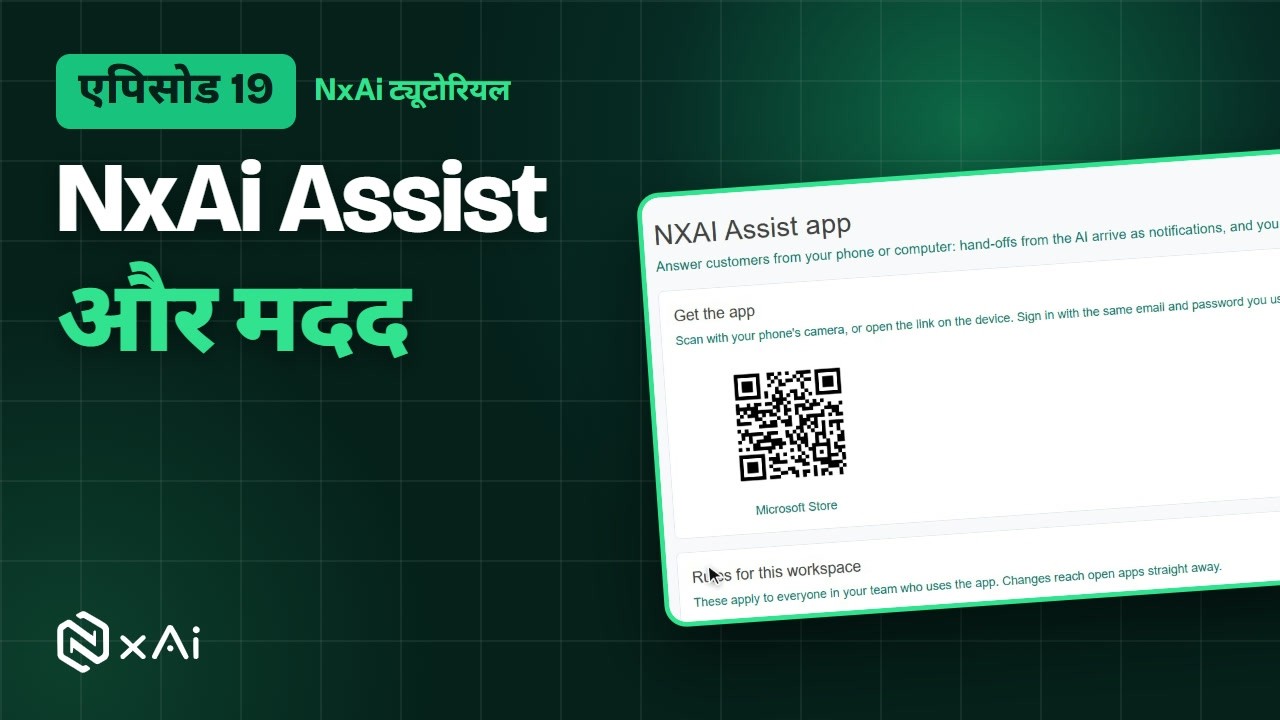
In the portal, open NxAi Assist app. Scan the code with your phone, or open the link on the device, and sign in with the same email and password. Below, set rules for everyone's app: notification text, saving files, a fingerprint or PIN lock, and blocking screenshots.
0:55Raise a support request
Need help from our team? Open Get help, describe what happened, pick a category and a priority, and submit your request. You can follow your requests right here.
1:08Knowledge Base
For answers right away, the help button at the top opens the Knowledge Base, with guides for every part of NxAi. Search for anything, like templates.
1:20Series recap
And that's the series! You've set up your account and connected WhatsApp, brought in your contacts and your team, learned to chat, run campaigns and automate, and let AI help you, with reports to measure it all.
1:34Thanks for watching
Thank you for watching NxAi tutorials. Start free at nxai.in, and subscribe for new tutorials. See you soon!
ट्रांसक्रिप्ट
0:00स्वागत
NxAi ट्यूटोरियल्स के आख़िरी एपिसोड में आपका स्वागत है! आप अपनी टीम को NxAi Assist ऐप पर लाएँगे, और जानेंगे कि मदद कहाँ मिलती है।
0:11इस एपिसोड में
हम ऐप लेंगे, टीम के फ़ोन के लिए नियम सेट करेंगे, सपोर्ट रिक्वेस्ट भेजना देखेंगे, और नॉलेज बेस में खोजेंगे।
0:19NxAi Assist: टीम का ऐप
NxAi Assist आपकी टीम का ऐप है। AI से सौंपी गई चैट्स नोटिफ़िकेशन बनकर आती हैं, और आप उन्हीं चैट्स में जवाब देते हैं जो आपकी टीम पोर्टल में देखती है। इसे Google Play Store, Apple App Store या Microsoft Store से लीजिए।
0:38ऐप लेना और ऐप के नियम
पोर्टल में NxAi Assist app खोलिए। अपने फ़ोन से कोड स्कैन कीजिए, या डिवाइस पर लिंक खोलिए, और उसी ईमेल और पासवर्ड से साइन इन कीजिए। नीचे सबके ऐप के लिए नियम सेट कीजिए: नोटिफ़िकेशन में मैसेज दिखे या नहीं, फ़ाइलें सेव हों या नहीं, फ़िंगरप्रिंट या पिन लॉक, और स्क्रीनशॉट रोकना।
1:02सपोर्ट रिक्वेस्ट
हमारी टीम से मदद चाहिए? Get help खोलिए, बताइए कि क्या हुआ, कैटेगरी और प्रायोरिटी चुनिए, और अपनी रिक्वेस्ट सबमिट कीजिए। अपनी रिक्वेस्ट्स आप यहीं देख सकते हैं।
1:16नॉलेज बेस
तुरंत जवाब के लिए ऊपर का हेल्प बटन नॉलेज बेस खोलता है, जिसमें NxAi के हर हिस्से की गाइड है। कुछ भी खोजिए, जैसे टेम्पलेट्स।
1:28सीरीज़ रीकैप
और सीरीज़ यहीं पूरी होती है! आपने अपना अकाउंट सेट किया और WhatsApp जोड़ा, अपने कॉन्टैक्ट्स और टीम को लाए, चैट करना, कैंपेन चलाना और ऑटोमेशन सीखा, और AI की मदद ली, रिपोर्ट्स के साथ सब कुछ मापते हुए।
1:44देखने के लिए धन्यवाद
NxAi ट्यूटोरियल्स देखने के लिए धन्यवाद। nxai.in पर मुफ़्त शुरू कीजिए, और नए ट्यूटोरियल्स के लिए चैनल सब्सक्राइब कीजिए। फिर मिलेंगे!

Ready to try it on your own number?
Start free and follow along. We help you set up the first bot, template and campaign.
3 months free · No credit card required · Free onboarding
