
WhatsApp templates, written to get approved.
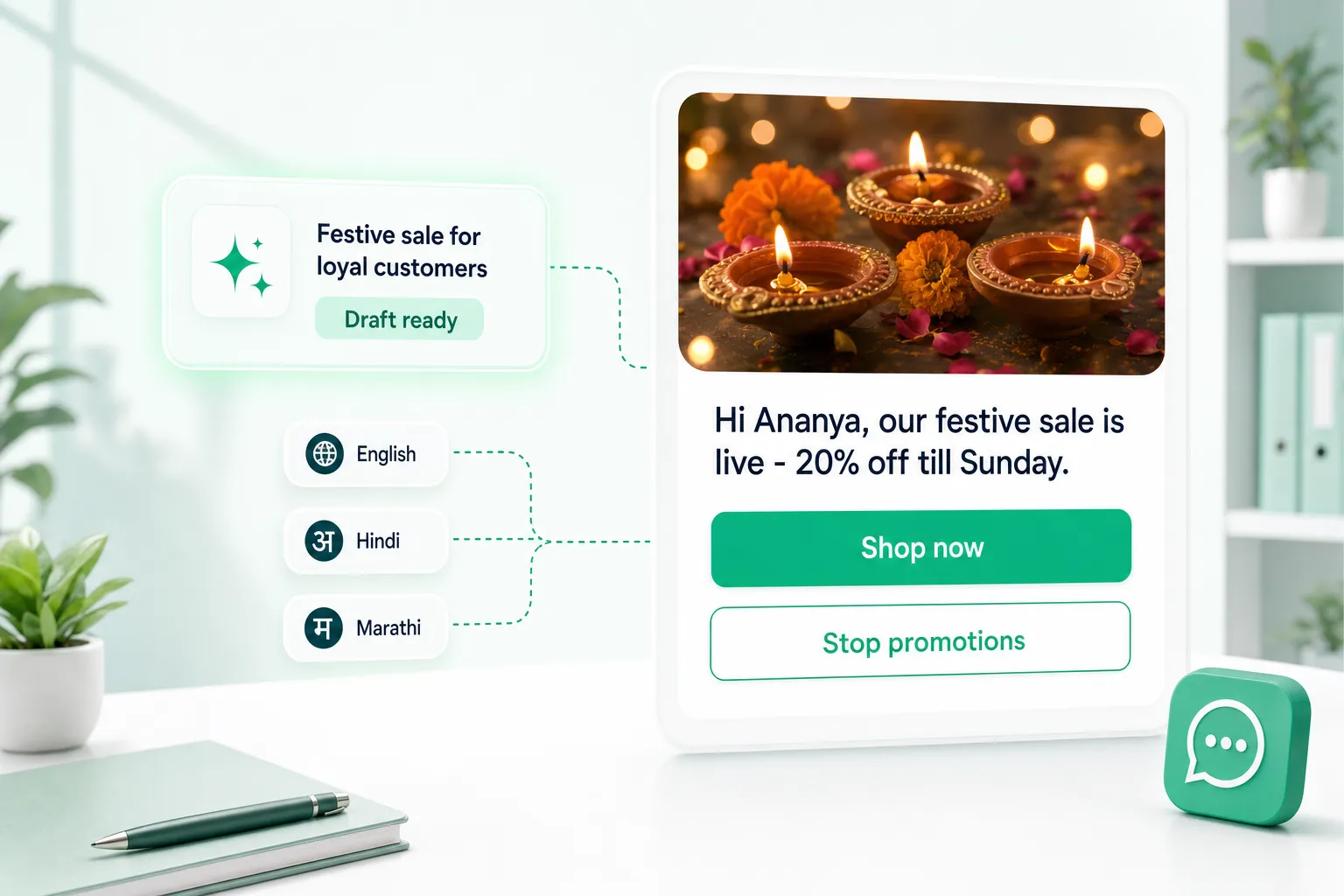
Describe the message in a sentence. AI drafts a Meta-ready template — buttons, sample values and all — and the builder checks it as you edit.
- 24 starting points
- Meta's rules checked live
- Every Meta language
- Drafts from
- One sentence
- Checks
- Meta's rules, live
- Languages
- All Meta languages
- Formatting
- Toolbar, not symbols
From a sentence to submit-ready.
The draft lands in the builder, so you change anything before it goes to Meta.
Festive sale for loyal customers, 20% off till Sunday, link to the sale page.
Hi Ananya, our festive sale is live — 20% off everything till Sunday.
10:00
Shop the saleStop promotions- Meta rules checked
- Sample values filled
- Opt-out works
It catches what Meta would reject.
No invented links
Links the AI could not know are left blank, never faked.
Opt-out that works
“Stop promotions” really stops them for that customer.
Sample values
Every variable needs one — flagged before you submit.
Header samples
Meta's media rules, per image, video or document.
Length limits
Body, button and card limits counted live.
Live preview
See it exactly as the customer will.
Carousels to one-time codes.
- Text
- Image header
- Video header
- Document header
- Carousel
- Limited-time offer
- Quick replies
- Website button
- Call button
- Form button
- One-time code
Write once. Use everywhere.
- 1
Describe
One sentence, or one of 24 presets.
- 2
Refine
Edit with live preview and checks.
- 3
Submit
Straight to Meta for approval.
- 4
Reuse
Campaigns, follow-ups, chats, API.
Watch it done, step by step.
Ep 11 · Message templates · 2:53
Build a template, let AI draft one, submit it to Meta, and add ready-made templates.
Watch with chapters & transcriptएपिसोड 11 · मैसेज टेम्पलेट्स · 3:13
टेम्पलेट बनाइए, AI से ड्राफ़्ट बनवाइए, Meta को अप्रूवल के लिए भेजिए, और तैयार टेम्पलेट्स जोड़िए।
चैप्टर और ट्रांसक्रिप्ट के साथ देखिए

What is a WhatsApp message template?
A message you get approved by Meta in advance. Businesses must use one to start a conversation, or to message someone more than 24 hours after their last message — for offers, reminders, order updates and one-time codes.
How does the AI help?
Describe the message in a sentence — or pick one of 24 starting points — and choose the category and language. The assistant drafts the whole template: header, body with variables, sample values, footer and buttons, ready for you to edit in the builder.
Why do templates get rejected, and how does NxAi help?
Common reasons are missing sample values, invented or placeholder links, wrong category, and media headers without a proper sample. The builder checks Meta’s rules as you type, blanks any link the AI could not know rather than inventing one, and lists what is unfinished before you submit.
Which languages are supported?
Every language Meta accepts for templates, shown by name and code — Hindi, Marathi, Tamil, Bengali, English and the rest.
Can I format text and add buttons?
Yes. Bold, italic, strike-through and monospace with a formatting toolbar, plus quick-reply, website, call and WhatsApp-form buttons. Marketing templates can carry an opt-out button that really stops promotions for that customer.
Where can I use an approved template?
In broadcast campaigns, auto follow-ups, the team inbox when the 24-hour window has closed, the NxAi Assist app, and through the API or a connected AI agent.

Put an AI agent and your team on one WhatsApp number
Connect your number in minutes. We help you set up the first bot, template and campaign.
3 months free · No credit card required · Free onboarding
