
Forms that open inside WhatsApp.
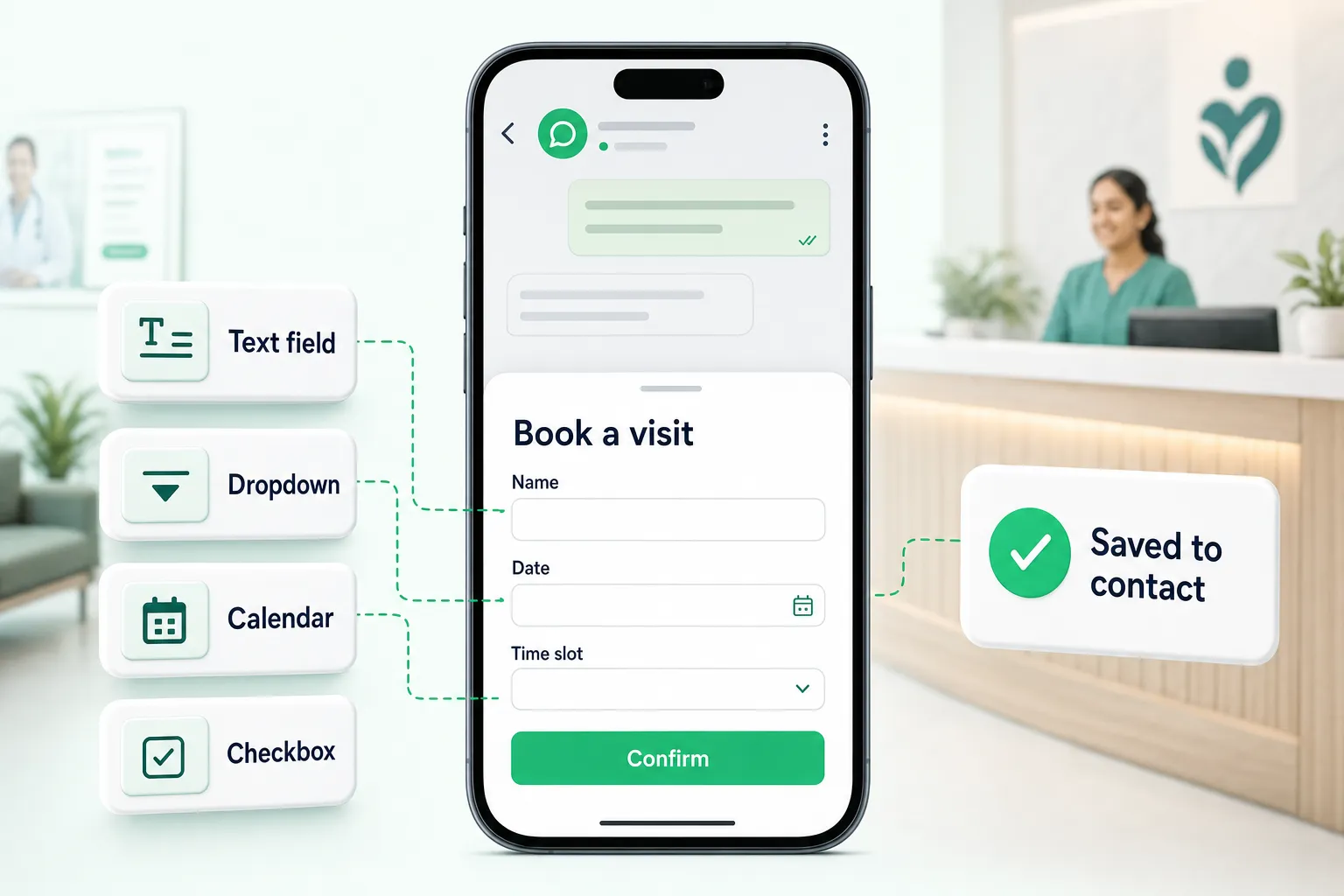
Bookings, sign-ups and lead details — collected in a native form inside the chat, without sending anyone to a website.
- Visual builder
- AI drafts the form
- Answers on the contact
- Built on
- WhatsApp Flows
- Fields
- 8 types, multi-screen
- Start from
- Template or AI
- Answers
- Saved to contact
Every field a form needs. None of the code.
Add screens and fields, preview on a real phone frame, publish to Meta in one click.
- Short text
- Long text
- Dropdown
- Single choice
- Multi choice
- Chips
- Date picker
- Opt-in
Hi Neha 👋 Book your next check-up in under a minute.
Book a visitBook a visit
Neha KapoorFri, 10 OctSix forms that replace six back-and-forths.
Live the same afternoon.
- 1
Build or draft
Start from a template or let AI draft it.
- 2
Publish
NxAi publishes it to Meta for you.
- 3
Send
In a chat, a template button or a bot.
- 4
Read answers
Saved against each customer.
Watch it done, step by step.
Ep 15 · WhatsApp Forms · 1:44
Build a form customers fill in without leaving WhatsApp, with a live phone preview.
Watch with chapters & transcriptएपिसोड 15 · WhatsApp फ़ॉर्म्स · 1:58
ऐसा फ़ॉर्म बनाइए जिसे कस्टमर WhatsApp छोड़े बिना भरें, लाइव फ़ोन प्रीव्यू के साथ।
चैप्टर और ट्रांसक्रिप्ट के साथ देखिए

What are WhatsApp Forms?
WhatsApp Forms — Meta calls them WhatsApp Flows — are forms that open as a sheet inside the WhatsApp chat. Customers fill in fields, pick dates and choose options without leaving the conversation or loading a website.
Do I need a developer to build one?
No. NxAi has a visual builder: add screens, drop in fields, and preview the form on a phone as you go. You can start from a ready template — lead capture, appointment booking, feedback survey or event sign-up — or describe the form and let AI draft it.
Which fields can a form have?
Short and long text, dropdowns, single and multiple choice, chips, date pickers and an opt-in checkbox, plus headings and text to guide people. Forms can run over several screens.
How do customers receive the form?
Send it inside a chat, attach it to an approved message template as a button, or open it from a chatbot flow. The customer taps the button and the form slides up inside WhatsApp.
Where do the answers go?
Every response is stored in NxAi against the customer, and you can browse a form’s responses in the portal. Your team sees the answers alongside the conversation.

Put an AI agent and your team on one WhatsApp number
Connect your number in minutes. We help you set up the first bot, template and campaign.
3 months free · No credit card required · Free onboarding
