
Reports & insightsरिपोर्ट्स और इनसाइट्स
Your business summary, lead sources and Meta's own figures, including quality rating and messaging limit.
बिज़नेस समरी, लीड सोर्सेज़ और Meta के अपने आँकड़े, क्वालिटी रेटिंग और मैसेजिंग लिमिट समेत।

Transcript
0:00Welcome
Welcome to NxAi tutorials! In this episode, you'll find out how your WhatsApp is doing, with reports and WhatsApp insights.
0:10What you'll do
We'll tour the reports, open the business summary and lead sources, and check Meta's own figures in WhatsApp insights.
0:18All reports
Open Reports. Pick any report to see it for any period, and download it as PDF, Excel or CSV. They're grouped by what you want to know: messaging, campaigns, your team inbox, your audience, automation, and the AI assistant.
0:41Business summary
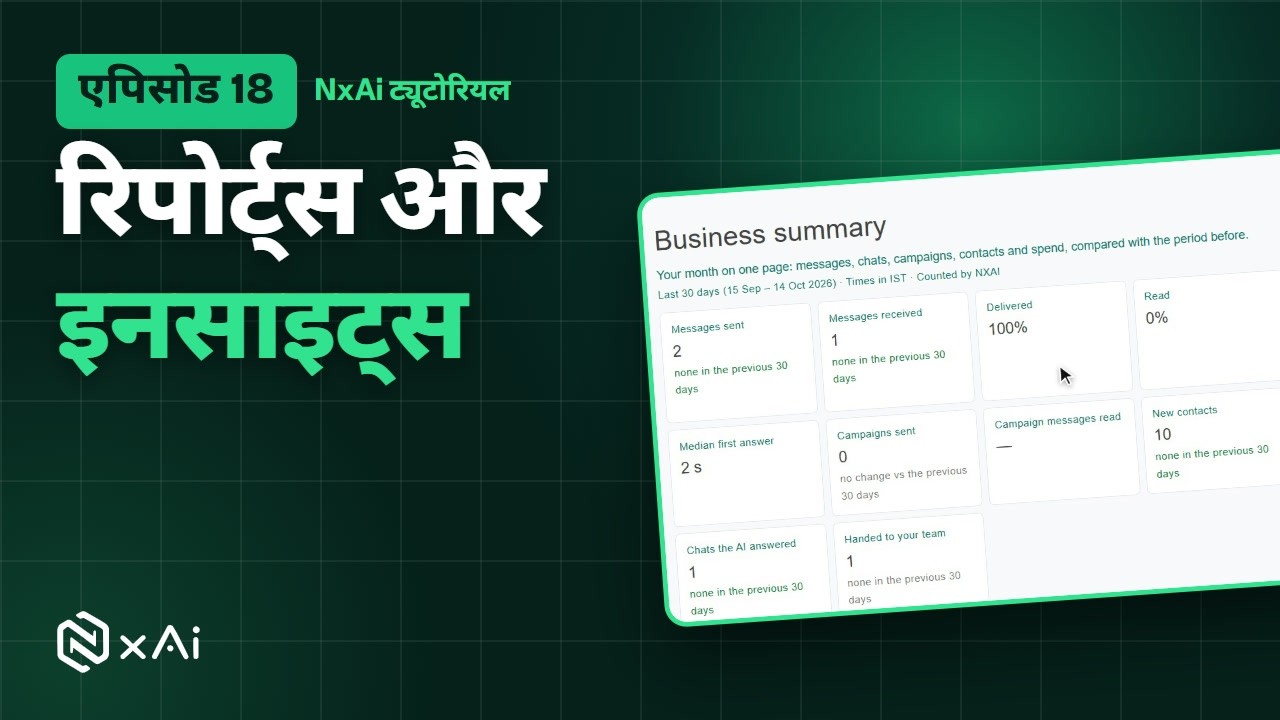
Business summary puts your month on one page: messages, chats, how fast you answered, new contacts, and what the AI handled, compared with the period before. Change the period, and download it as PDF or Excel.
0:57Lead sources
Lead sources shows where new chats come from: click to WhatsApp ads, your links and QR codes, and opt in forms.
1:08WhatsApp insights
WhatsApp insights shows Meta's own figures for your WhatsApp account: delivery, paid and free messages, templates, calls, and number health, with your quality rating and daily messaging limit. Meta counts every app on the account, so these can differ from NxAi's reports.
1:29Good habits
A few good habits: check the business summary every month, keep an eye on your quality rating, and use lead sources to see which links and forms bring people in.
1:40Next episode
In the last episode of the series, we'll get your team on the NxAi Assist app, and show you where to get help. If this video helped, subscribe, and see you in the next one!
ट्रांसक्रिप्ट
0:00स्वागत
NxAi ट्यूटोरियल्स में आपका स्वागत है! इस एपिसोड में आप रिपोर्ट्स और WhatsApp इनसाइट्स से जानेंगे कि आपका WhatsApp कैसा चल रहा है।
0:12इस एपिसोड में
हम रिपोर्ट्स देखेंगे, बिज़नेस समरी और लीड सोर्सेज़ खोलेंगे, और WhatsApp इनसाइट्स में Meta के अपने आँकड़े देखेंगे।
0:21सारी रिपोर्ट्स
Reports खोलिए। कोई भी रिपोर्ट चुनिए, उसे किसी भी अवधि के लिए देखिए, और PDF, Excel या CSV में डाउनलोड कीजिए। ये इस हिसाब से बँटी हैं कि आप क्या जानना चाहते हैं: मैसेजिंग, कैंपेन, टीम इनबॉक्स, ऑडियंस, ऑटोमेशन, और AI असिस्टेंट।
0:44बिज़नेस समरी
Business summary आपका महीना एक पेज पर दिखाती है: मैसेज, चैट्स, आपने कितनी जल्दी जवाब दिया, नए कॉन्टैक्ट्स, और AI ने क्या संभाला, पिछली अवधि से तुलना के साथ। अवधि बदलिए, और इसे PDF या Excel में डाउनलोड कीजिए।
1:02लीड सोर्सेज़
Lead sources दिखाता है कि नई चैट्स कहाँ से आती हैं: क्लिक टू WhatsApp ऐड्स, आपके लिंक और QR कोड, और ऑप्ट इन फ़ॉर्म।
1:13WhatsApp इनसाइट्स
WhatsApp insights आपके WhatsApp अकाउंट के लिए Meta के अपने आँकड़े दिखाता है: डिलीवरी, पेड और फ़्री मैसेज, टेम्पलेट्स, कॉल्स, और नंबर हेल्थ, आपकी क्वालिटी रेटिंग और रोज़ की मैसेजिंग लिमिट के साथ। Meta अकाउंट से जुड़े हर ऐप को गिनता है, इसलिए ये NxAi की रिपोर्ट्स से अलग हो सकते हैं।
1:37अच्छी आदतें
कुछ अच्छी आदतें: हर महीने बिज़नेस समरी देखिए, अपनी क्वालिटी रेटिंग पर नज़र रखिए, और लीड सोर्सेज़ से देखिए कि कौन से लिंक और फ़ॉर्म लोगों को ला रहे हैं।
1:49अगला एपिसोड
सीरीज़ के आख़िरी एपिसोड में हम आपकी टीम को NxAi Assist ऐप पर लाएँगे, और बताएँगे कि मदद कहाँ मिलती है। अगर यह वीडियो काम का लगा, तो चैनल सब्सक्राइब कीजिए, मिलते हैं अगले एपिसोड में!

Ready to try it on your own number?
Start free and follow along. We help you set up the first bot, template and campaign.
3 months free · No credit card required · Free onboarding
