
Your WhatsApp team inbox, away from the desk.
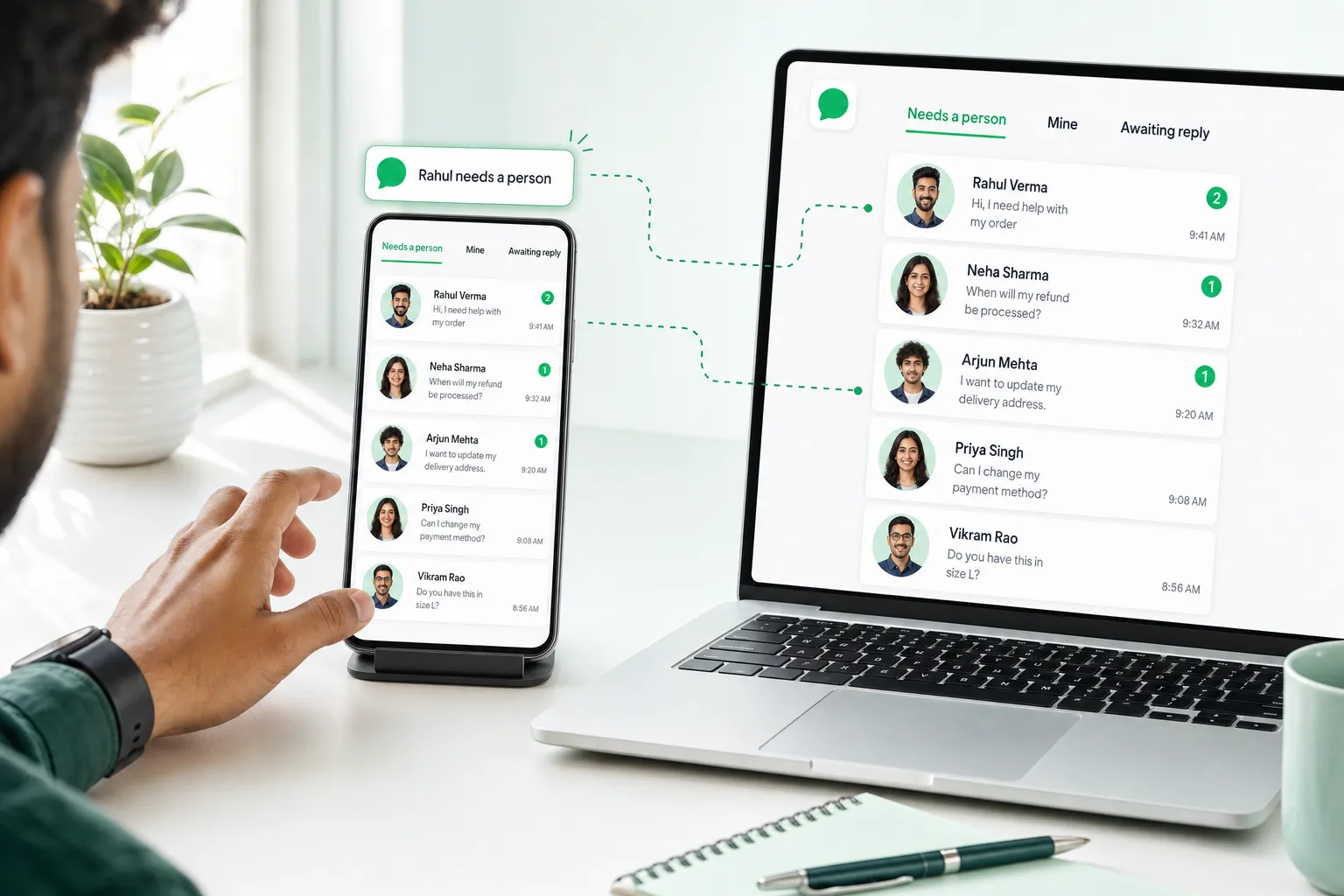
NxAi Assist brings the shared inbox to Android phones and Windows PCs — so when the AI agent hands a customer over, the right teammate hears about it.
- Android & Windows
- Hand-off alerts
- English & हिन्दी
- Platforms
- Android · Windows
- Alerts
- Hand-offs to you
- Security
- App lock, encrypted
- Languages
- English · हिन्दी
The portal's queues, in your hand.
Needs a person, Mine, Awaiting reply — with the same rules and permissions.
- Rahul needs a person · handed over by the AI agent
- Assigned to you · by Priya, Sales
- RVRahul VermaNeed help with a damaged item4 minSupport
- NSNeha SharmaWhen will my refund come?2 minAccounts
- CMCafé MochaQuote for 40 lamps?nowSales
Not a viewer. The whole inbox.
Reply with anything
Text, quick replies, photos, videos, documents.
Templates after 24 hours
Pick an approved template with live preview.
Claim, assign, resolve
The same actions as the portal.
Notes & context
Team notes and customer details beside the chat.
Quiet hours & Away
Off shift means off.
App lock
Fingerprint, face or PIN; remote sign-out.
What is NxAi Assist?
The NxAi team app for Android phones and Windows PCs. It carries the same shared WhatsApp inbox as the NxAi portal — the same queues, rules and permissions — so teammates can pick up chats away from their desk.
Is the app available now?
It is in pilot with selected workspaces on Android and Windows, ahead of the public store release. Ask our team if you would like your workspace in the pilot.
Who can use it?
Members of an NxAi workspace sign in with their NxAi account. Each person’s role in the workspace decides what they can see and do in the app, exactly as in the portal.
What can teammates do in the app?
Reply with text, quick replies, photos, videos and documents; send an approved template when the 24-hour window has closed; claim, assign, resolve and reopen chats; leave notes for the team; and see the customer’s details beside the chat.
How do notifications work?
The phone is told when the AI agent hands a customer to a person, or when a chat is assigned to you, and one tap opens the chat at the newest message. Quiet hours and an Away switch for the end of a shift keep it from following you home.
How is customer data protected?
Sign-in uses your NxAi account in the system browser. The app can be locked with fingerprint, face or PIN, chats cached on the phone are encrypted, and an owner can sign out a lost phone remotely.

Want NxAi Assist for your team?
The app is in pilot on Android and Windows. Tell us about your team and we will set you up.
3 months free · No credit card required · Free onboarding
