
One WhatsApp number. Your whole team.
Queues that show what needs a person, AI hand-offs that reach the right teammate, and everything an agent needs beside the chat.
- Queues with live counts
- AI hand-offs by topic
- Android & Windows app

- Queues
- Needs a person, Mine…
- Hand-offs
- Routed by topic
- Waiting
- Shown on every chat
- Also on
- Android · Windows
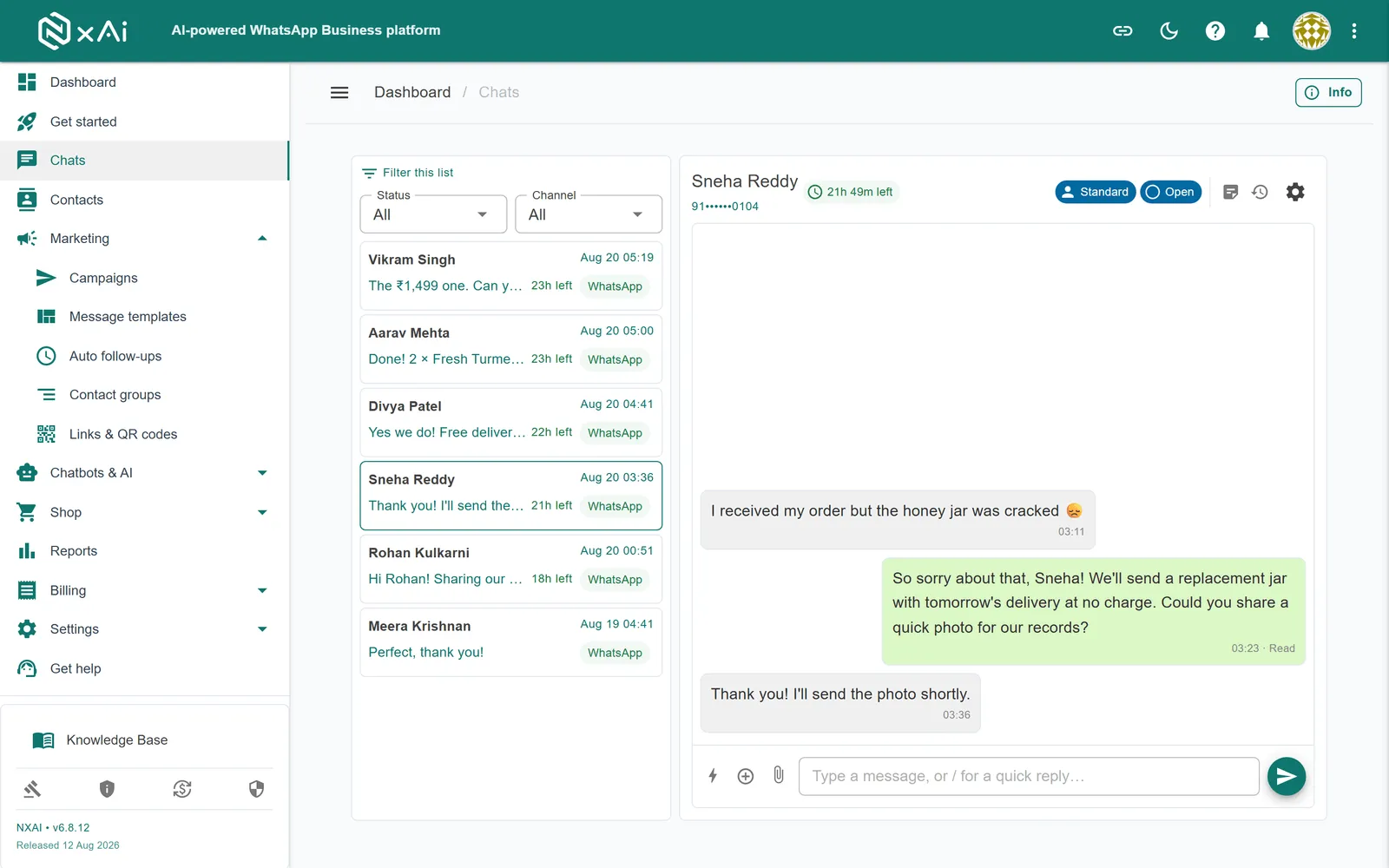
See what needs a person — before it goes cold.
Every queue has a live count; every waiting chat shows for how long.
- RVRahul VermaNeed help with a damaged item4 minSupport
- NSNeha SharmaWhen will my refund come?2 minAccounts
- CMCafé MochaQuote for 40 lamps?nowSales
The AI answers. The right teammate takes over.
Give teammates departments and chat topics; hand-offs are assigned to whoever handles that topic.
“Bulk price for 40 lamps?”
AI agent
Topic: Bulk orders- PRPriya · SalesBulk orders · QuotesAssigned
- ARArjun · SupportDelivery · Returns
- MEMeera · AccountsRefunds · Invoices
Built for the people doing the replying.
Claim, assign, resolve
Release, reopen or hand back to the AI.
Internal notes
Context for the next teammate, never seen by the customer.
Quick replies
Saved answers your team sends in one tap.
Templates after 24 hours
The composer switches to approved templates when the window closes.
Live ticks
Sent, delivered and read update as they happen.
Roles & permissions
Who can reply, assign or only view — per role.
One shared phone
- ✕One person can reply at a time
- ✕No idea what the customer was told
- ✕Chats go quiet when someone is off
- ✕No record of who handled what
NxAi team inbox
- ✓Every teammate on the same number
- ✓Full history and notes in every chat
- ✓The AI covers the gaps, then hands off
- ✓Each chat shows who has it
Watch it done, step by step.
Ep 9 · Chat from the team inbox · 2:15
Reply inside the 24-hour window, use quick replies and notes, and claim, assign and resolve chats.
Watch with chapters & transcriptएपिसोड 9 · टीम इनबॉक्स से चैट · 2:31
चौबीस घंटे की विंडो में जवाब दीजिए, क्विक रिप्लाई और नोट्स इस्तेमाल कीजिए, और चैट क्लेम, असाइन और रिज़ॉल्व कीजिए।
चैप्टर और ट्रांसक्रिप्ट के साथ देखिए

What is a shared WhatsApp team inbox?
One inbox for your WhatsApp Business number that your whole team works from. Every teammate signs in with their own account, sees the conversations their role allows, and can claim, reply to, assign and resolve chats — instead of passing one phone around.
How are chats organised?
In queues: Needs a person, Mine, Awaiting reply, With a person, AI, Resolved and All, each with a live count, plus search by name or number. A chat that needs a person shows how long the customer has been waiting.
How does chat assignment work?
Teammates claim chats from the Needs a person queue, and anyone with permission can assign a chat to a colleague. When the AI agent hands a chat over, NxAi assigns it automatically to an available teammate who handles that chat topic — preferring whoever helped the customer last, then whoever has the fewest open chats.
How does the inbox work with the AI agent?
Chats the AI agent is handling sit in their own queue. A teammate can take a chat over or pause the AI for it at any time, and resolving or closing a chat returns it to the agent, so the customer’s next question is answered instantly again.
Is the inbox available on mobile?
The portal works in any modern mobile browser. NxAi Assist, the team app for Android and Windows with hand-off notifications, is free on Google Play and the Microsoft Store.
What can agents send from the inbox?
Text, saved quick replies, photos, videos and documents, buttons and lists, location, contact cards and WhatsApp Forms inside the 24-hour window — and an approved template once the window has closed.

Put an AI agent and your team on one WhatsApp number
Connect your number in minutes. We help you set up the first bot, template and campaign.
No setup fee · No credit card required · Free onboarding