
Set up the AI agentAI एजेंट सेट कीजिए
Switch AI on, set the agent's tone and limits, teach it your business, and choose when it hands over.
AI चालू कीजिए, एजेंट का लहजा और सीमाएँ तय कीजिए, उसे अपना बिज़नेस सिखाइए, और तय कीजिए कि वह चैट कब सौंपे।

Transcript
0:00Welcome
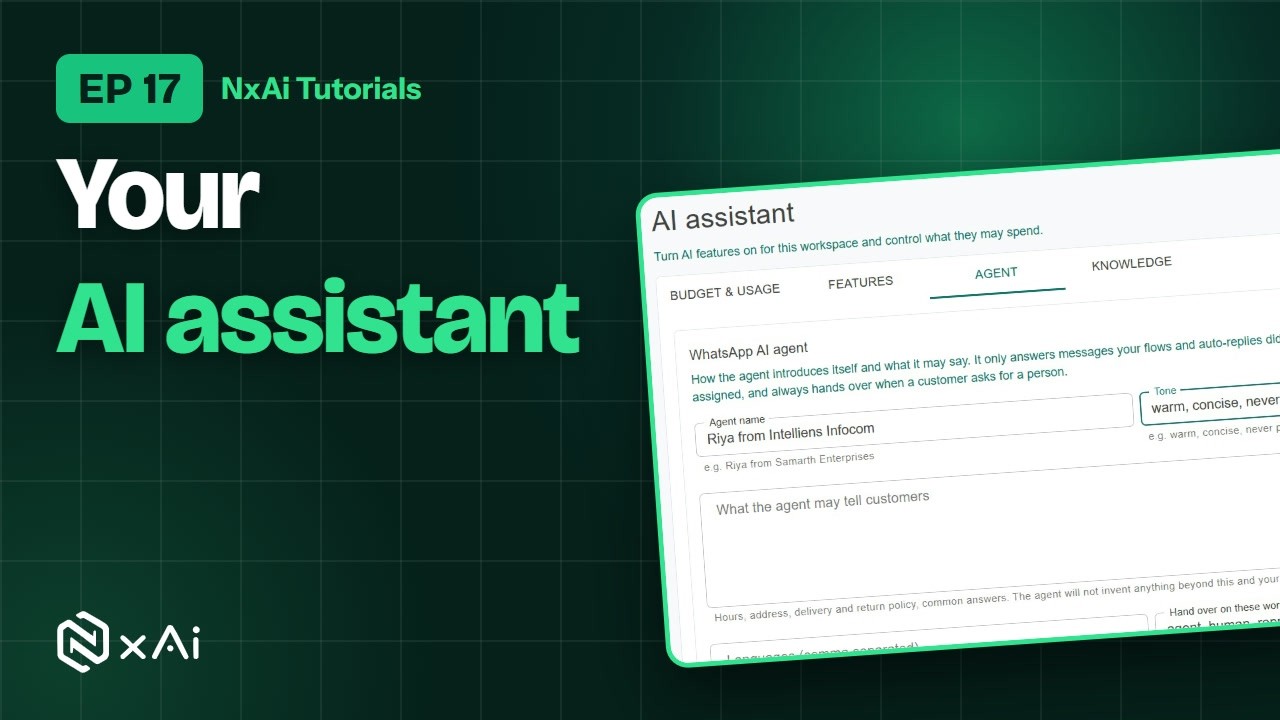
Welcome to NxAi tutorials! In this episode, you'll set up your AI assistant, so it can answer customers on WhatsApp for you.
0:09What you'll do
We'll look at budget and usage, switch on the features you want, set up the agent, and teach it about your business.
0:17Budget & usage
Under Chatbots and AI, open AI assistant. Budget and usage shows what AI has used this month, and what your plan includes. You can set a monthly budget, a limit per teammate, and what happens when it runs out.
0:33AI features
On Features, switch AI on for the workspace, and choose what to use: AI Assist for drafting, the NxAi Copilot for help, and the WhatsApp AI agent that replies to customers.
0:46Agent setup & hand-over
On Agent, give it a name and a tone, and tell it what it may say, like your hours and policies. It won't invent anything beyond this and your knowledge. Then choose the words that hand a chat to your team, what it says when it does, and whether to hand over rather than guess. Click Save agent setup.
1:12Knowledge
On Knowledge, add what the agent should know. Write an entry, one topic each, or upload a PDF, Word or text file. The agent answers from these, and offers to check with a colleague when it doesn't know.
1:30How the AI agent works
Here's how it works. The agent answers the messages your chatbots and auto replies didn't. It never replies once a teammate is assigned, and hands over when a customer asks for a person. Your team picks the chat up in the inbox, or in the NxAi Assist app.
1:47Next episode
In the next episode, we'll look at your reports and WhatsApp insights. If this video helped, subscribe, and see you in the next one!
ट्रांसक्रिप्ट
0:00स्वागत
NxAi ट्यूटोरियल्स में आपका स्वागत है! इस एपिसोड में आप अपना AI असिस्टेंट सेट करेंगे, ताकि वह आपकी ओर से WhatsApp पर कस्टमर्स को जवाब दे सके।
0:13इस एपिसोड में
हम बजट और यूसेज देखेंगे, ज़रूरी फ़ीचर्स चालू करेंगे, एजेंट सेट करेंगे, और उसे आपके बिज़नेस के बारे में सिखाएँगे।
0:22बजट और यूसेज
Chatbots & AI में AI assistant खोलिए। Budget and usage दिखाता है कि इस महीने AI ने कितना इस्तेमाल किया, और आपके प्लान में क्या शामिल है। आप महीने का बजट, हर साथी की लिमिट, और बजट ख़त्म होने पर क्या हो, यह तय कर सकते हैं।
0:43AI फ़ीचर्स
Features पर वर्कस्पेस के लिए AI चालू कीजिए, और चुनिए कि क्या इस्तेमाल करना है: ड्राफ़्ट के लिए AI Assist, मदद के लिए NxAi Copilot, और कस्टमर्स को जवाब देने वाला WhatsApp AI agent।
1:00एजेंट सेटअप और चैट सौंपना
Agent पर उसे एक नाम और लहजा दीजिए, और बताइए कि वह क्या कह सकता है, जैसे आपका समय और पॉलिसीज़। इसके और आपकी नॉलेज के आगे वह कुछ नहीं गढ़ता। फिर वे शब्द चुनिए जिन पर चैट आपकी टीम को जाए, उस समय वह क्या कहे, और क्या अंदाज़ा लगाने के बजाय चैट सौंप दे। Save agent setup पर क्लिक कीजिए।
1:26नॉलेज
Knowledge पर वह सब जोड़िए जो एजेंट को पता होना चाहिए। एक एंट्री लिखिए, हर एंट्री में एक विषय, या PDF, Word या टेक्स्ट फ़ाइल अपलोड कीजिए। एजेंट इन्हीं से जवाब देता है, और जो नहीं पता, उस पर किसी साथी से पूछने की बात कहता है।
1:45AI एजेंट कैसे काम करता है
यह ऐसे काम करता है। एजेंट उन मैसेजेज़ का जवाब देता है जिन्हें आपके चैटबॉट्स और ऑटो रिप्लाई ने नहीं संभाला। किसी साथी को चैट मिलते ही वह जवाब देना बंद कर देता है, और कस्टमर किसी इंसान से बात करना चाहे तो चैट सौंप देता है। आपकी टीम चैट को इनबॉक्स में, या NxAi Assist ऐप में संभालती है।
2:09अगला एपिसोड
अगले एपिसोड में हम आपकी रिपोर्ट्स और WhatsApp इनसाइट्स देखेंगे। अगर यह वीडियो काम का लगा, तो चैनल सब्सक्राइब कीजिए, मिलते हैं अगले एपिसोड में!

Ready to try it on your own number?
Start free and follow along. We help you set up the first bot, template and campaign.
3 months free · No credit card required · Free onboarding
