
Create your account & workspaceअकाउंट और वर्कस्पेस बनाइए
Sign up, confirm your email, set up your workspace and verify your mobile number.
साइन अप कीजिए, ईमेल कन्फ़र्म कीजिए, वर्कस्पेस सेट कीजिए और मोबाइल नंबर वेरिफ़ाई कीजिए।

Transcript
0:00Welcome
Welcome to NxAi tutorials! In this episode, you'll create your NxAi account and your own workspace.
0:08What you'll do
It only takes a few minutes. We'll sign up, confirm your email, create your workspace, and verify your mobile number.
0:17Open nxai.in → Start free trial
Open nxai.in in your browser and click Start free trial.
0:27Sign up with Google or email
This opens the Create account page. You can sign up with your Google account: just click Continue with Google at the bottom. Or fill in the form, as we'll do now. Enter your first name, last name and email address. Use an email you can open right now, because we'll send a confirmation link to it. The phone number is optional. Now choose a password. It needs at least eight characters, with capital and small letters, a number and a symbol. Type it again to confirm, then click Register.
1:05Confirm your email
You'll see this message: Almost there! Your account is created. Now let's confirm your email. Open your inbox and find the email from NxAi: Confirm your email address. Click the Confirm email button. If you don't see it, check your spam folder. Your email is confirmed. Click Go to sign in, and log in with the email and password you just created.
1:38Create your workspace
Next, create your workspace. It's your team's home in NxAi: your contacts, campaigns and shared inbox all live here. You'll be its owner. Type your company name. NxAi turns it into your workspace link, like portal.nxai.in/greenleaf-organics. You and your team will open your workspace with this link, so check it carefully before you continue. Add a short description if you like. Then choose your country and state, your company size and your industry. The website is optional. The timezone is already set to India Standard Time. Change it only if your business runs in another timezone. All done? Click Create workspace.
2:36The Get started checklist
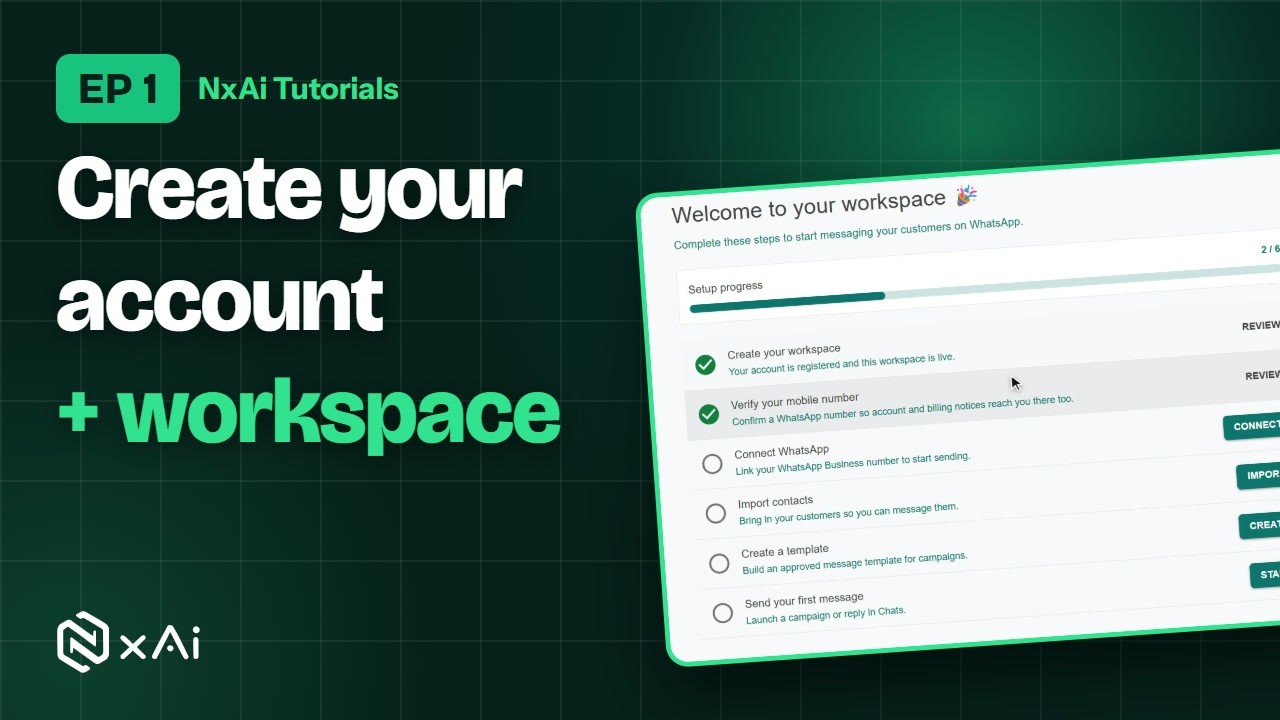
Welcome to your workspace! This Get started page lists six steps to start messaging your customers on WhatsApp. The first one, creating your workspace, is already done. You can come back to this page any time from Get started in the left menu.
2:51Verify your mobile number
Let's do the next step now: Verify your mobile number. Click Verify. Enter your mobile number, tick the box to get account and billing notices on WhatsApp, and click Send code. The six-digit code comes on WhatsApp, not by SMS, and it's valid for ten minutes. Type it here and click Verify. Back on Get started, two of six steps are done.
3:22Next episode
In the next episode, we'll take a quick tour of the portal. If this video helped, subscribe, and see you in the next one!
ट्रांसक्रिप्ट
0:00स्वागत
NxAi ट्यूटोरियल्स में आपका स्वागत है! इस एपिसोड में आप अपना NxAi अकाउंट और अपना वर्कस्पेस बनाएँगे।
0:09इस एपिसोड में
इसमें बस कुछ ही मिनट लगते हैं। हम साइन अप करेंगे, ईमेल कन्फ़र्म करेंगे, वर्कस्पेस बनाएँगे, और आपका मोबाइल नंबर वेरिफ़ाई करेंगे।
0:19nxai.in → Start free trial
अपने ब्राउज़र में nxai.in खोलिए, और Start free trial पर क्लिक कीजिए।
0:30Google या ईमेल से साइन अप
अब Create account पेज खुलेगा। आप अपने Google अकाउंट से भी साइन अप कर सकते हैं — बस नीचे Continue with Google पर क्लिक कीजिए। या फिर फ़ॉर्म भरिए, जैसे हम अभी करेंगे। अपना पहला नाम, सरनेम और ईमेल एड्रेस डालिए। ऐसा ईमेल डालिए जो आप अभी खोल सकें, क्योंकि इसी पर कन्फ़र्मेशन लिंक आएगा। फ़ोन नंबर डालना ज़रूरी नहीं है। अब एक पासवर्ड चुनिए। इसमें कम से कम आठ अक्षर हों — कैपिटल और स्मॉल लेटर, एक नंबर और एक सिंबल। उसे दोबारा टाइप करके कन्फ़र्म कीजिए, और फिर Register पर क्लिक कीजिए।
1:10ईमेल कन्फ़र्म कीजिए
आपको यह मैसेज दिखेगा — Almost there! आपका अकाउंट बन गया है। अब ईमेल कन्फ़र्म करते हैं। अपना इनबॉक्स खोलिए और NxAi का ईमेल ढूँढिए — Confirm your email address. उसमें Confirm email बटन पर क्लिक कीजिए। अगर ईमेल न दिखे, तो स्पैम फ़ोल्डर भी देख लीजिए। आपका ईमेल कन्फ़र्म हो गया। Go to sign in पर क्लिक कीजिए, और अभी बनाए गए ईमेल और पासवर्ड से लॉग इन कीजिए।
1:47वर्कस्पेस बनाइए
अब अपना वर्कस्पेस बनाइए। यह NxAi में आपकी टीम का घर है — आपके कॉन्टैक्ट्स, कैंपेन और शेयर्ड इनबॉक्स, सब यहीं रहते हैं। इसके ओनर आप होंगे। अपनी कंपनी का नाम टाइप कीजिए। NxAi उसी से आपके वर्कस्पेस का लिंक बना देता है — जैसे portal.nxai.in/greenleaf-organics. आप और आपकी टीम इसी लिंक से वर्कस्पेस खोलेंगे, इसलिए आगे बढ़ने से पहले इसे ध्यान से देख लीजिए। चाहें तो एक छोटा-सा डिस्क्रिप्शन लिख दीजिए। फिर अपना देश और राज्य, कंपनी का साइज़ और इंडस्ट्री चुनिए। वेबसाइट डालना ज़रूरी नहीं है। टाइमज़ोन पहले से India Standard Time पर सेट है — इसे तभी बदलिए जब आपका बिज़नेस किसी और टाइमज़ोन में चलता हो। सब भर गया? अब Create workspace पर क्लिक कीजिए।
2:53Get started चेकलिस्ट
आपके वर्कस्पेस में आपका स्वागत है! Get started पेज पर छह स्टेप्स हैं, जिनसे आप WhatsApp पर अपने कस्टमर्स को मैसेज भेजना शुरू कर सकते हैं। पहला स्टेप — वर्कस्पेस बनाना — पूरा हो चुका है। यह पेज आप कभी भी बाएँ मेन्यू में Get started से खोल सकते हैं।
3:12मोबाइल नंबर वेरिफ़ाई कीजिए
चलिए, अगला स्टेप अभी कर लेते हैं — Verify your mobile number. Verify पर क्लिक कीजिए। अपना मोबाइल नंबर डालिए, WhatsApp पर अकाउंट और बिलिंग की सूचनाएँ पाने के लिए बॉक्स पर टिक कीजिए, और Send code पर क्लिक कीजिए। छह अंकों का कोड WhatsApp पर आएगा, SMS पर नहीं, और यह दस मिनट तक चलेगा। कोड यहाँ टाइप कीजिए और Verify पर क्लिक कीजिए। Get started पेज पर अब छह में से दो स्टेप्स पूरे हो गए हैं।
3:46अगला एपिसोड
अगले एपिसोड में हम पोर्टल का एक छोटा-सा टूर करेंगे। अगर यह वीडियो काम का लगा, तो चैनल सब्सक्राइब कीजिए — मिलते हैं अगले एपिसोड में!

Ready to try it on your own number?
Start free and follow along. We help you set up the first bot, template and campaign.
3 months free · No credit card required · Free onboarding
